tiket.com / Live Activities Standardization
Standardizing tiket.com’s Live Activities
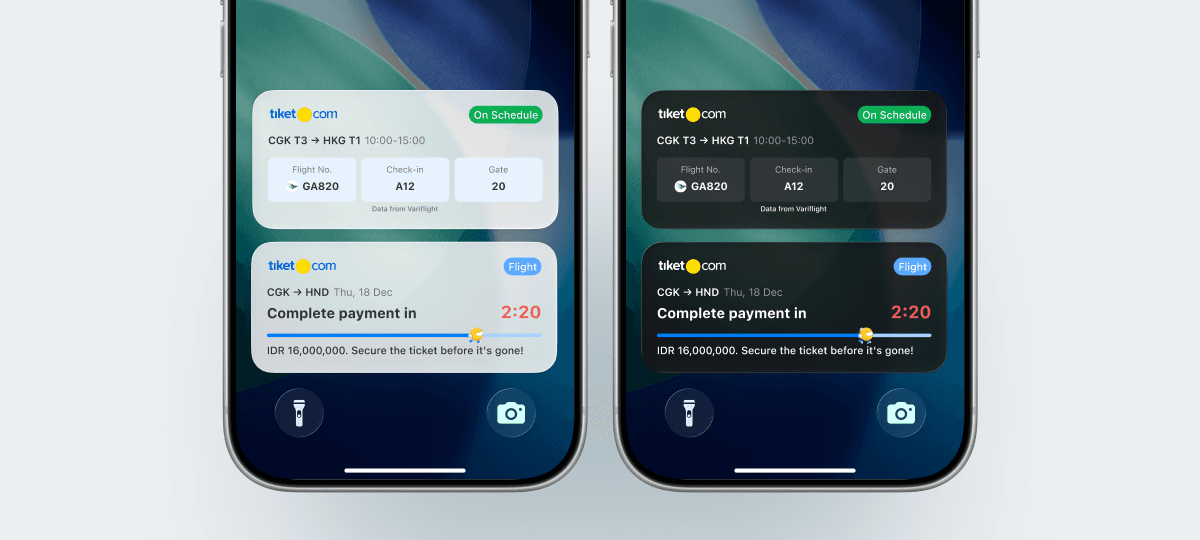
This project showcases my expertise in three key domains:
- Design Systems
- Product Design
- Product Strategy
- Project
- Live Activity Standardization
- Duration
- Q4 2025 to Q1 2026 (6 months)
In A Nutshell
Standardizing Live Activity Notifications
This project covers the standardization of tiket.com's Live Activities into a single template system. By replacing WhatsApp and SMS reminders that cost Rp1.76B per quarter with a channel that is free to update once triggered, the work aimed to reduce notification costs while preserving user engagement. In this project, I led the following efforts:
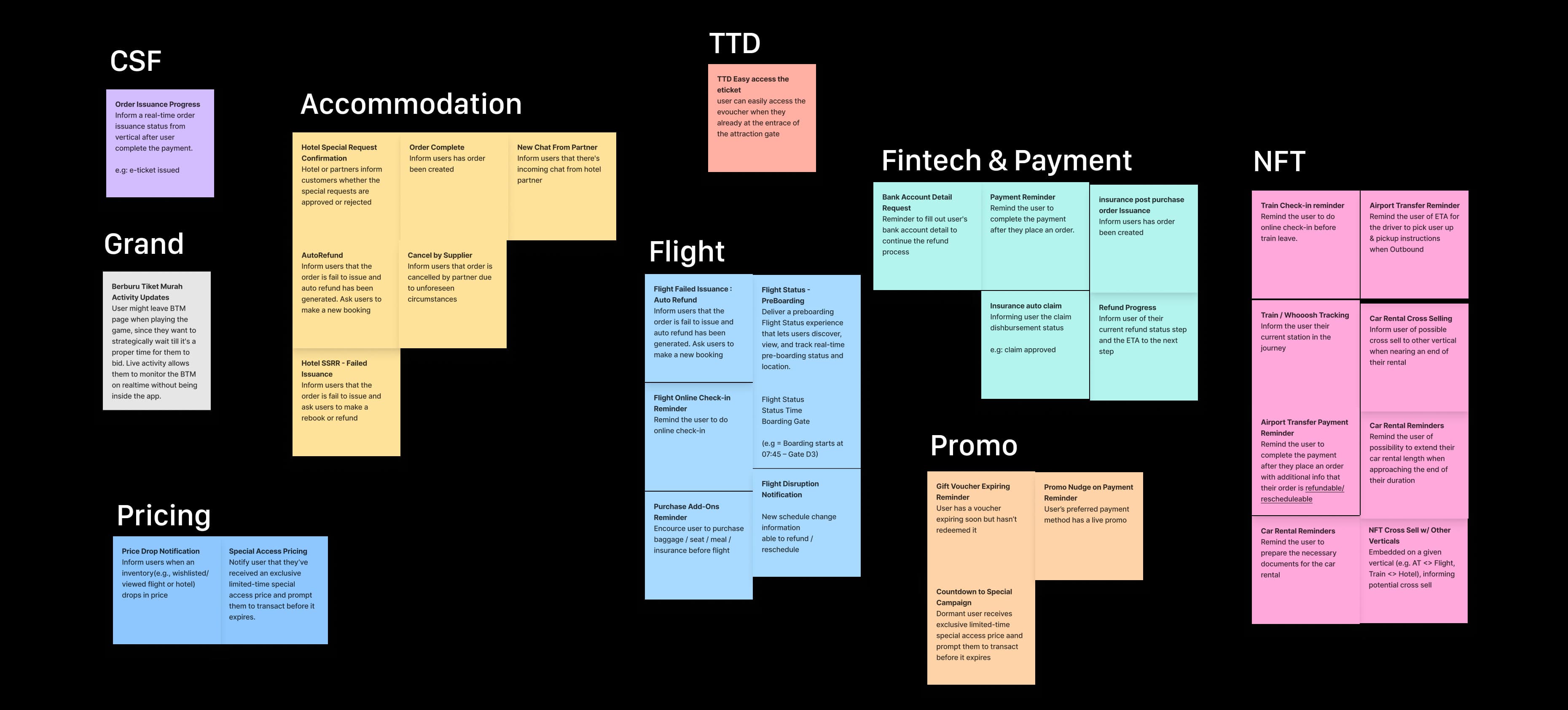
- Discovery: Conducted vertical discovery across 25 teams to collect every proposed Live Activity use case
- Pattern analysis: mapped 40+ proposed use cases from 25 verticals onto the customer purchase journey
These efforts resulted in a:
- A three-type template that covers every vertical use case, replacing per-vertical builds
- 40+ use case requests consolidated into three reusable types.
Here's how the story unfolds ▼
Context
Live Activities at tiket.com
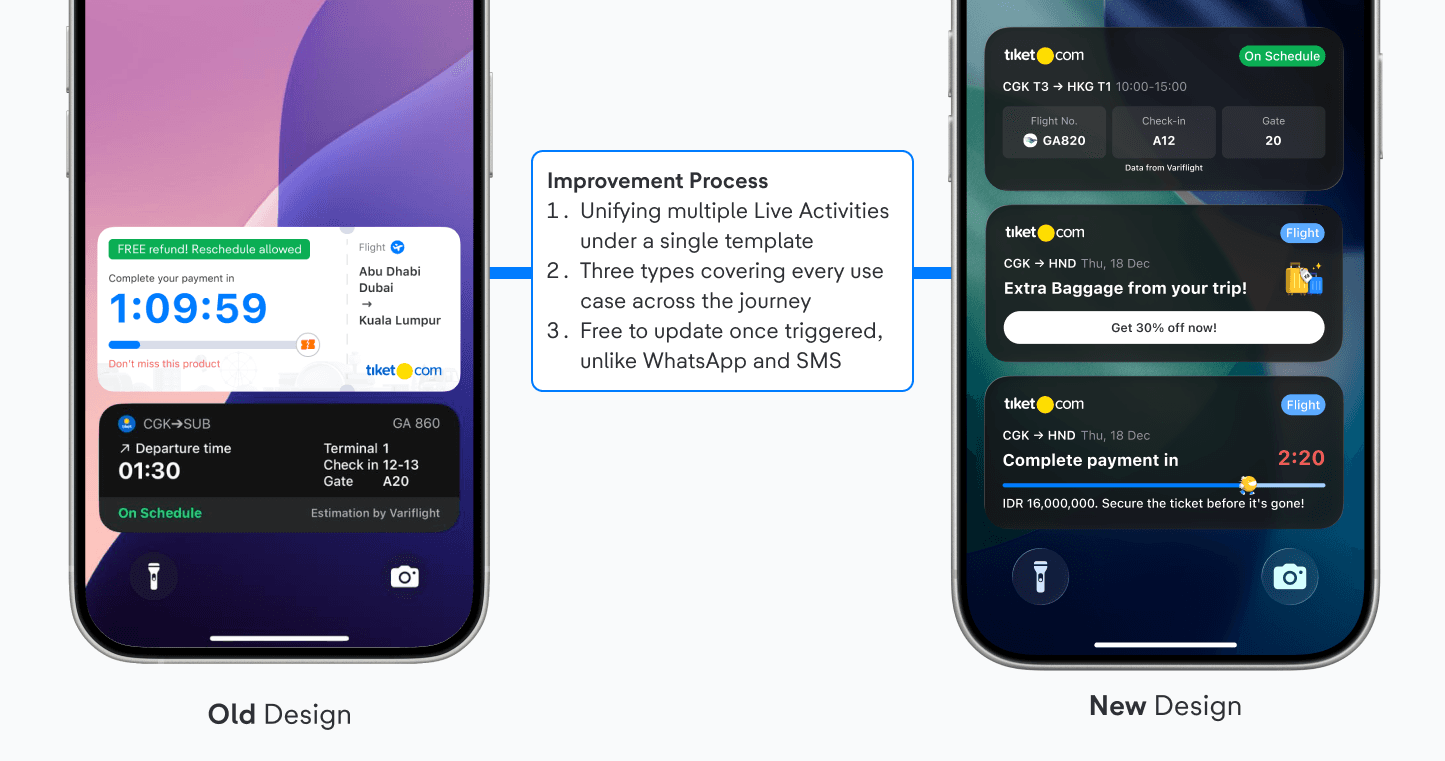
tiket.com is a Southeast Asian travel unicorn serving 52+ million active users across 10+ travel products. Live Activities launched in 2024 as a more visible and cost-effective alternative to WhatsApp and SMS, but each implementation shipped as a standalone project.
2025
Flight status
A second use case was built from scratch again, with a different layout, different states, and no shared components.
2024
Payment reminders
The first Live Activity at tiket.com. One use case, with its own design and its own logic.
The Problem Statement
Two Builds, Two Experiences, Rising Costs
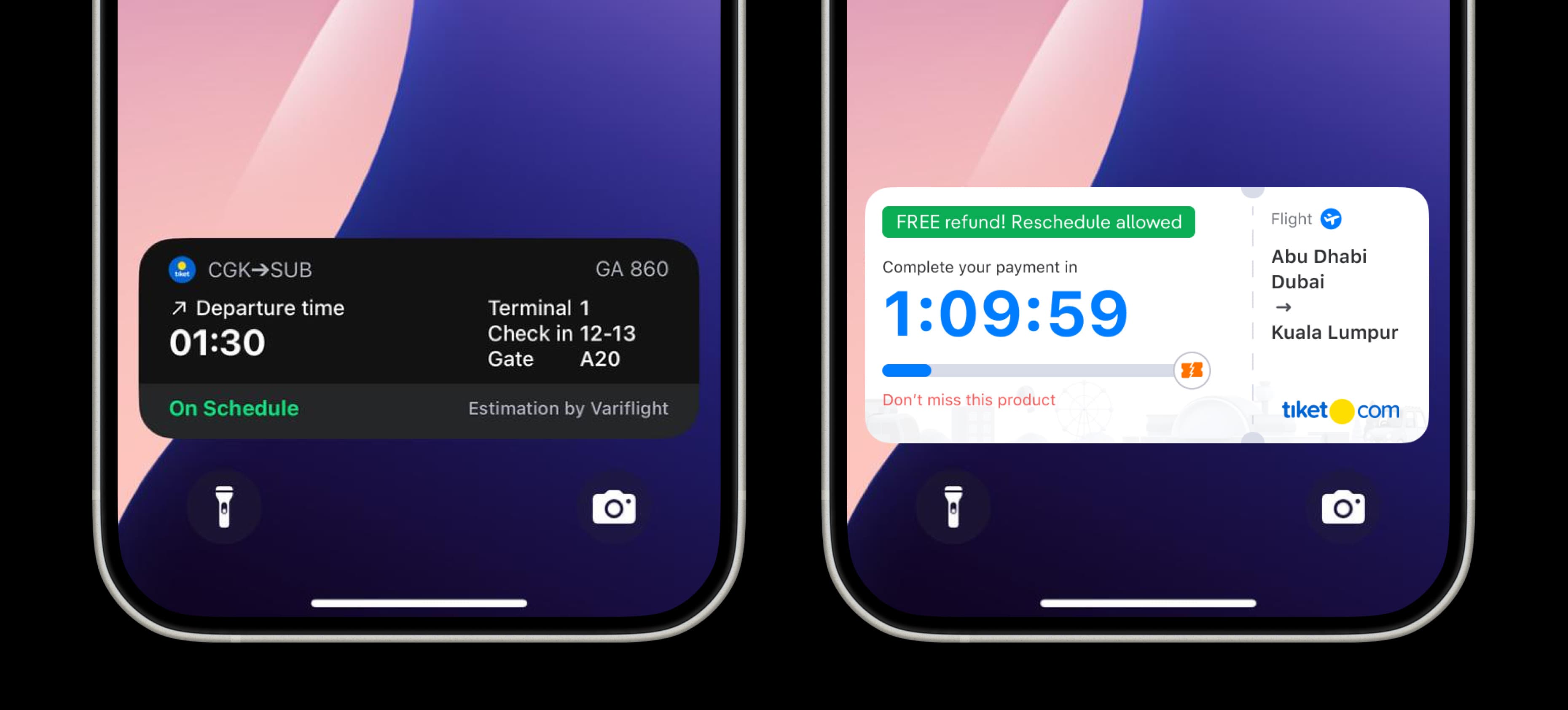
Live Activities proved their value, but the first two implementations were not shared. Payment reminders and flight status each had their own design, logic, and release cycle, while the notification bill they were meant to replace continued to grow.
Three core problems were identified:
Fragmented implementations: Payment and flight status ran on separate designs and separate logic.
The experience feels inconsistent across products
High development overhead: each new use case took around two quarters of engineering.
Verticals default back to WhatsApp and SMS
No self-service layer: Teams could not configure or launch a Live Activity without engineering.
Every request queues behind the platform team
Discovery
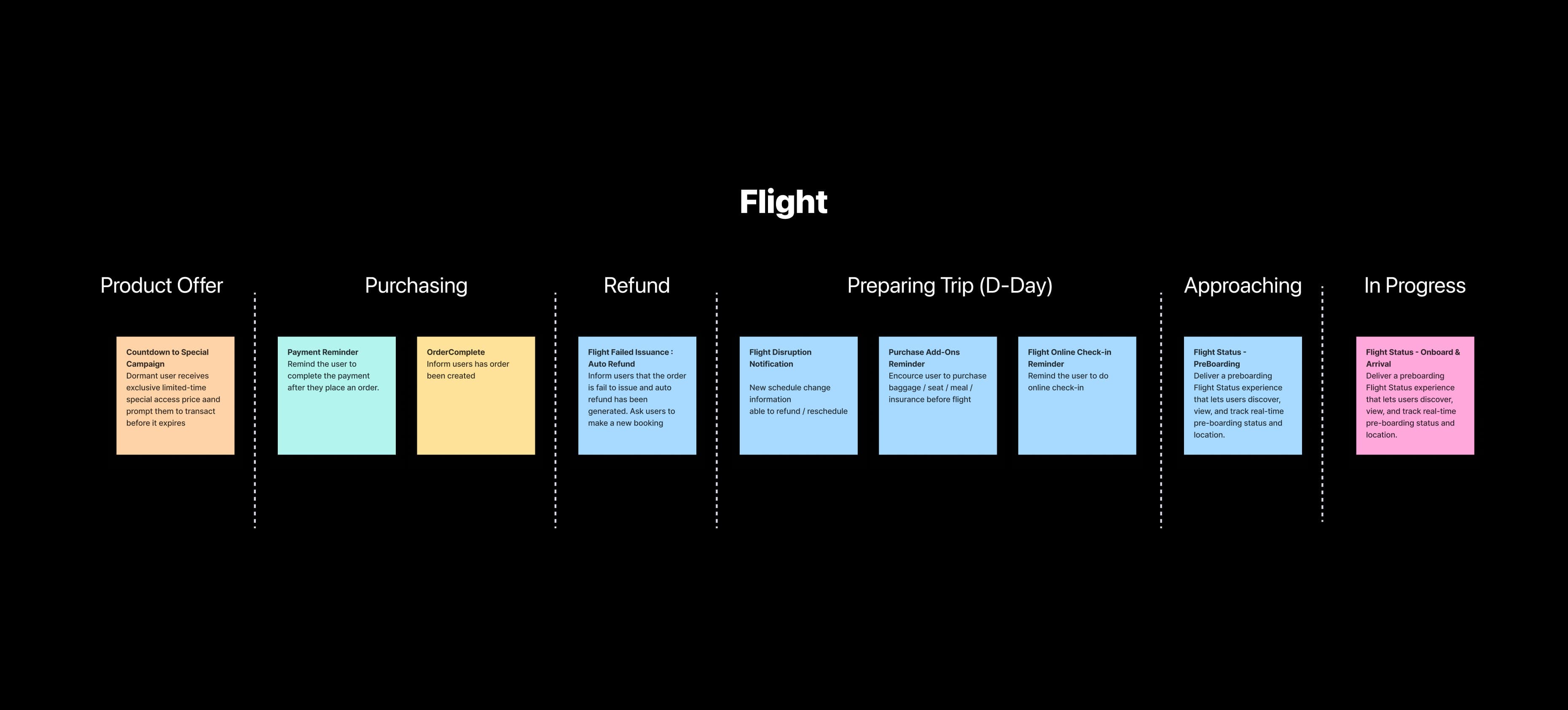
40+ Requests, 25 Verticals, Three Patterns
My team and I conducted a request round with every vertical, collecting each proposed Live Activity and mapping it onto the customer purchase journey. Once the requests were side by side, we concluded that three reusable patterns could cover the set.
Defining Goals
What Each Side Needed from the Platform
Three groups had distinct needs from the same system. To ensure the template would work for everyone, I documented what each side actually needed before designing the solution.
Product Verticals
- Launch on their own journeys without waiting for engineering support
- Control copy, labels, and deep links per use case
Product & Strategy
- Reduce notification costs from Rp1.76B per quarter
Tech Platform & Design System
- One API contract and one component set, not one build per vertical
- Governance rules that prevent verticals from breaking the layout
- Apple's guidance respected so the feature is not rejected
How Might We
How Might We Questions
HMW shift reminders off WhatsApp and SMS without losing engagement?
HMW cover every vertical's use case with a fixed set of templates?
HMW let teams launch a Live Activity without engineering effort?
Design Principles
Design Principles
Contextual
- The type follows the shape of the information, not the product it belongs to.
Standardization
- One skeleton for every Live Activity.
- Components switch on and off, the layout order never changes.
Governed
- Colours come only from semantic tokens and illustrations from a shared library, so every Live Activity stays consistent in light and dark mode.
The Master Template
The Master Template: One Skeleton, Three States
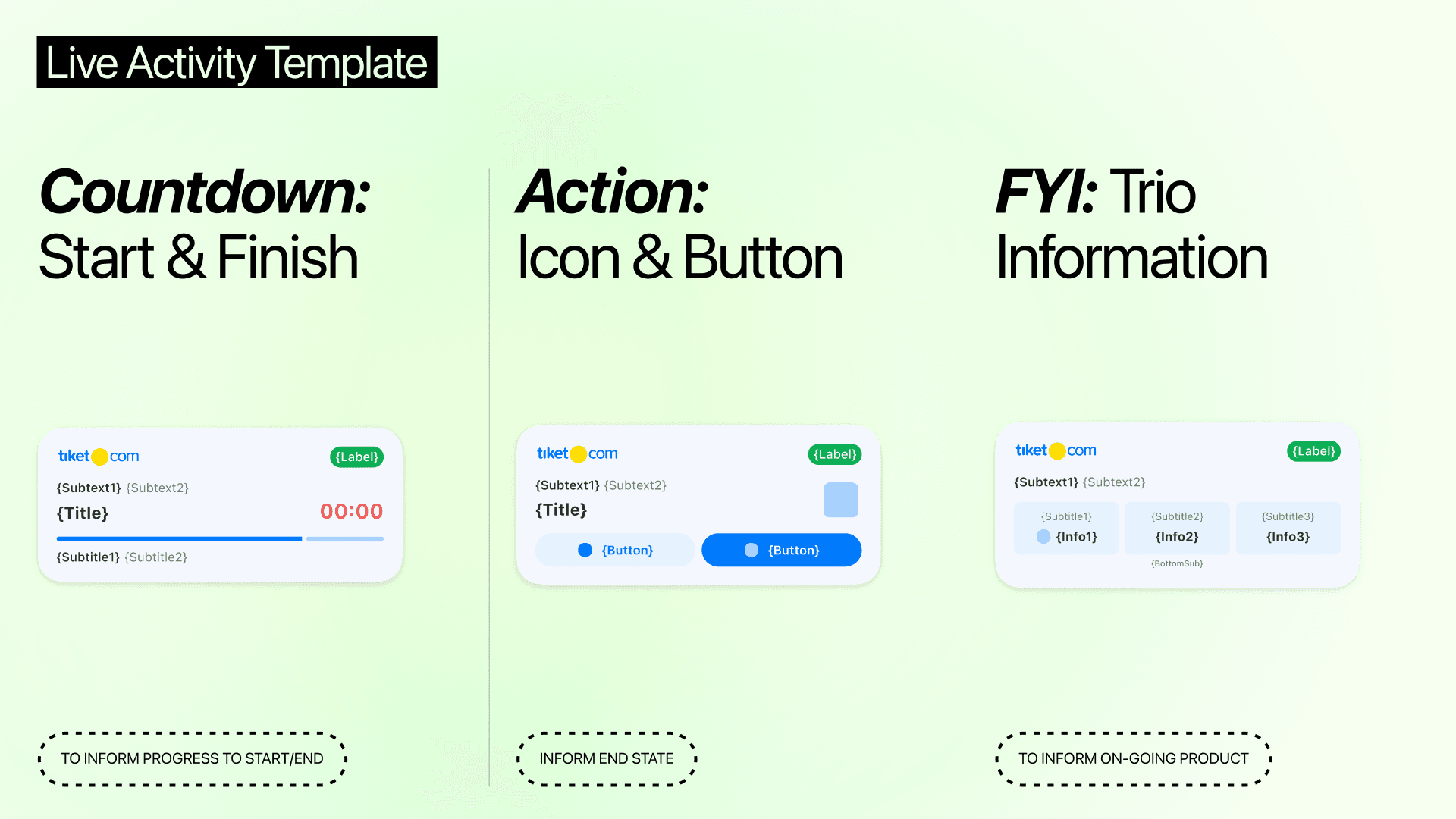
Every Live Activity is built from the same component skeleton: logo, label, subtexts, title, progress bar, countdown or illustration, trio info and button. Switching components on or off produces three types: Countdown, Action and FYI.
The Same Skeleton, Rendered as Three Types
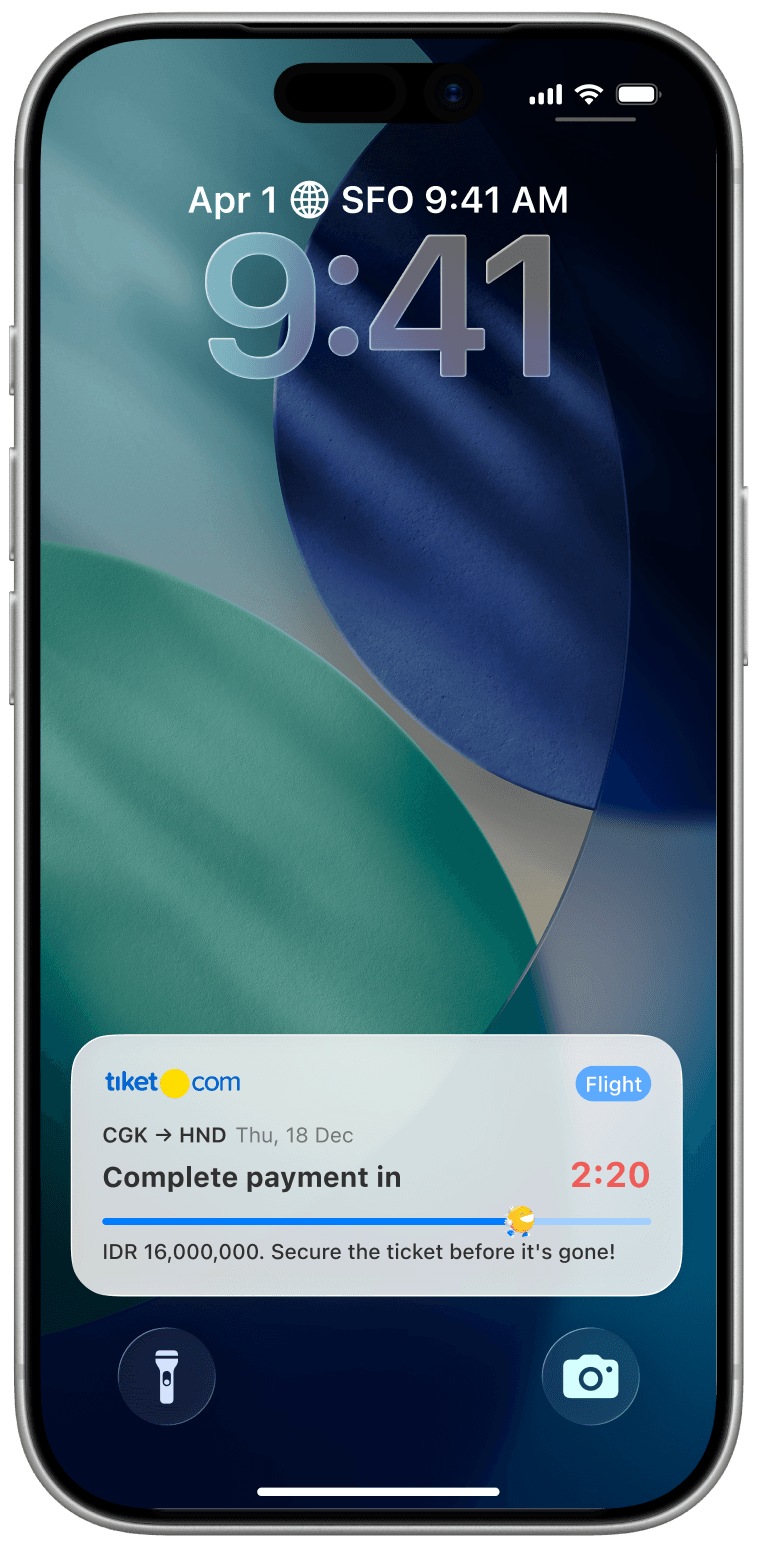
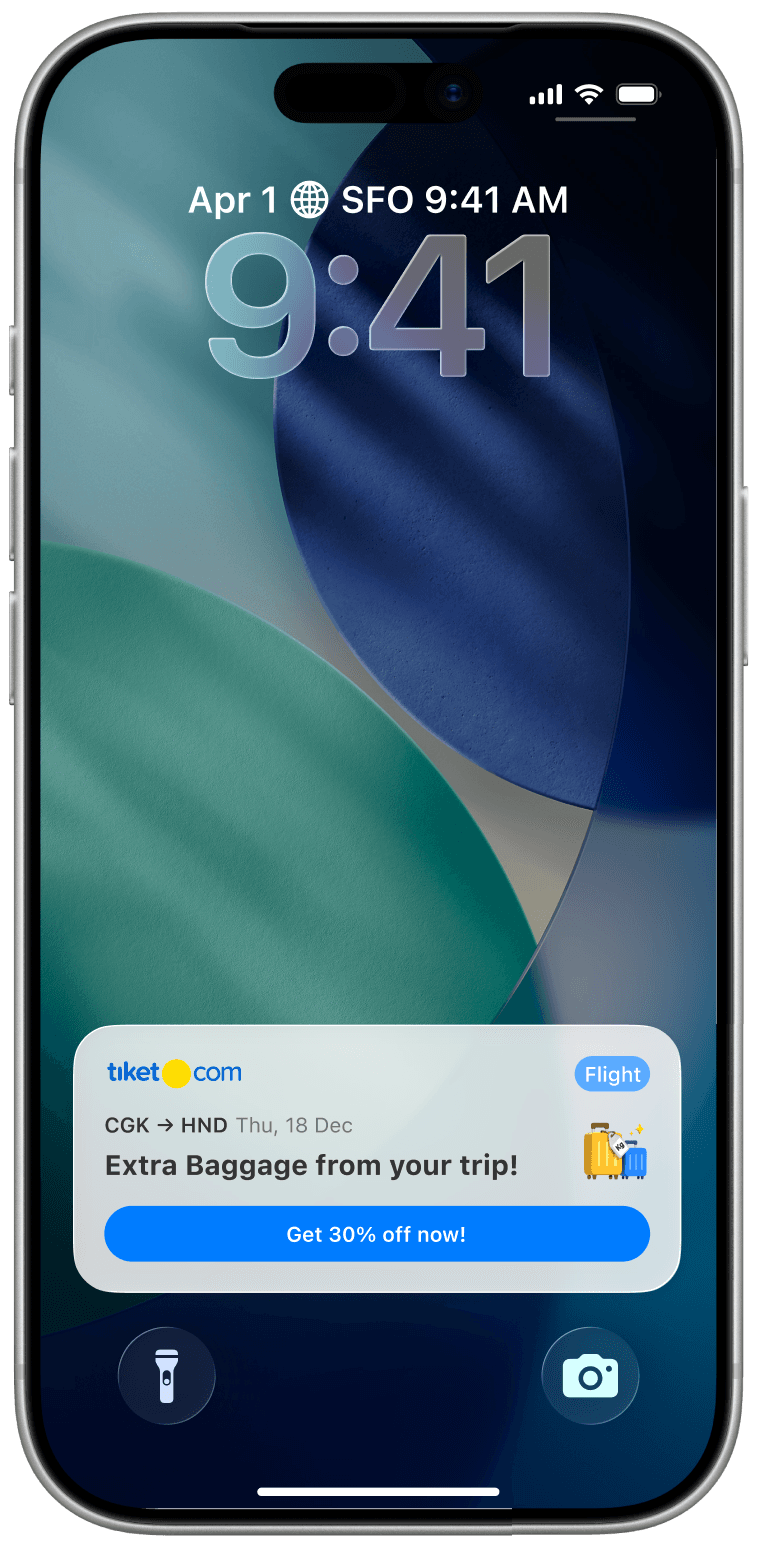
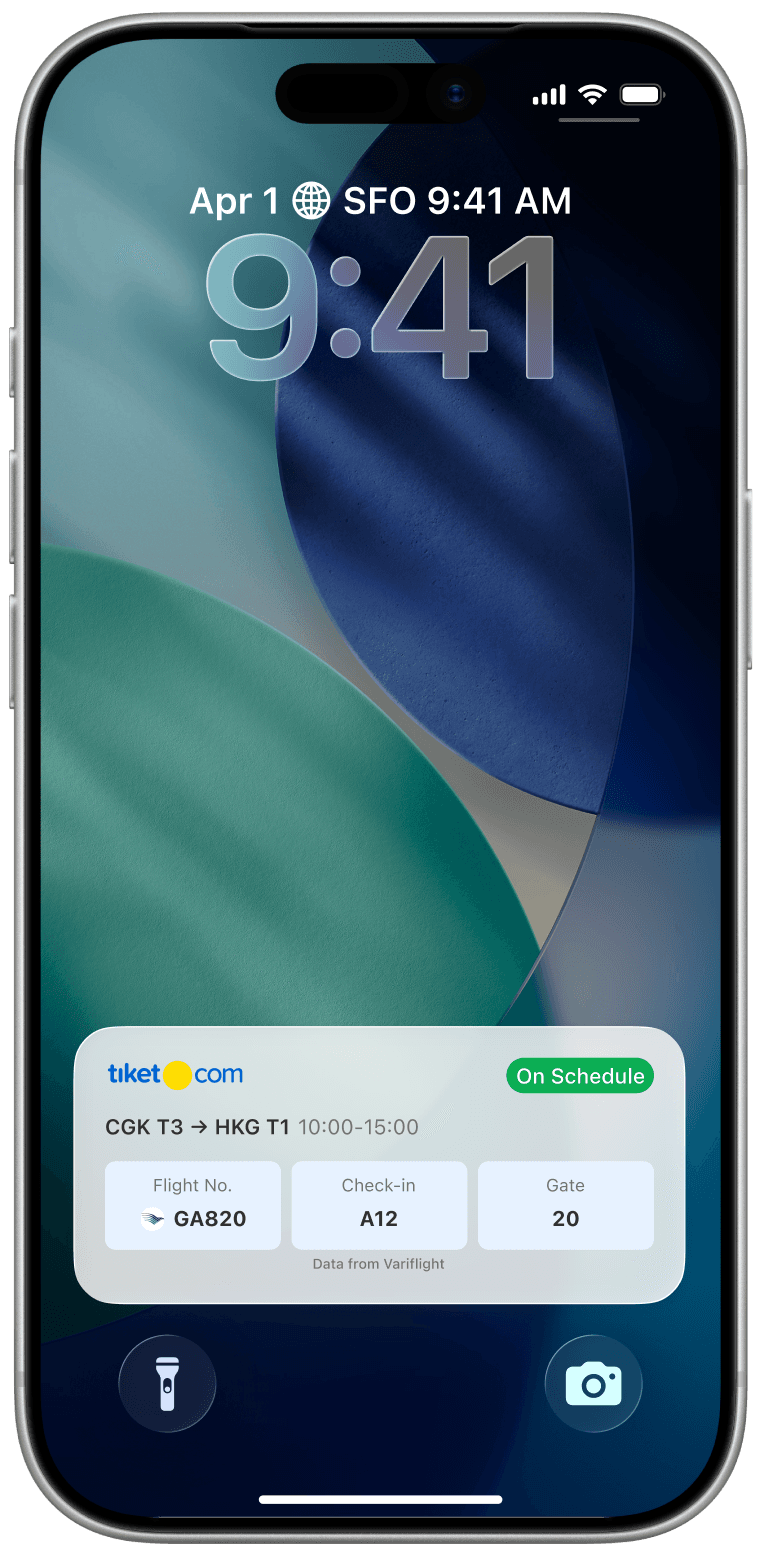
Three Types
Each Type Answers a Different Question About Time
The three types are not interchangeable. A vertical selects the type based on the shape of the information, not the product it belongs to, and works through the questions in order, stopping at the first one that applies.
Type 01
Countdown + Action
This type captures moments when users are waiting for something to start or finish.
PURPOSE
- Progress to Finish shows an ongoing activity until it's done, keeping users updated continuously.
- Progress to Start builds excitement for something about to begin.
STRUCTURE
Only two states exist. The layout stays fixed; only the title and button change.
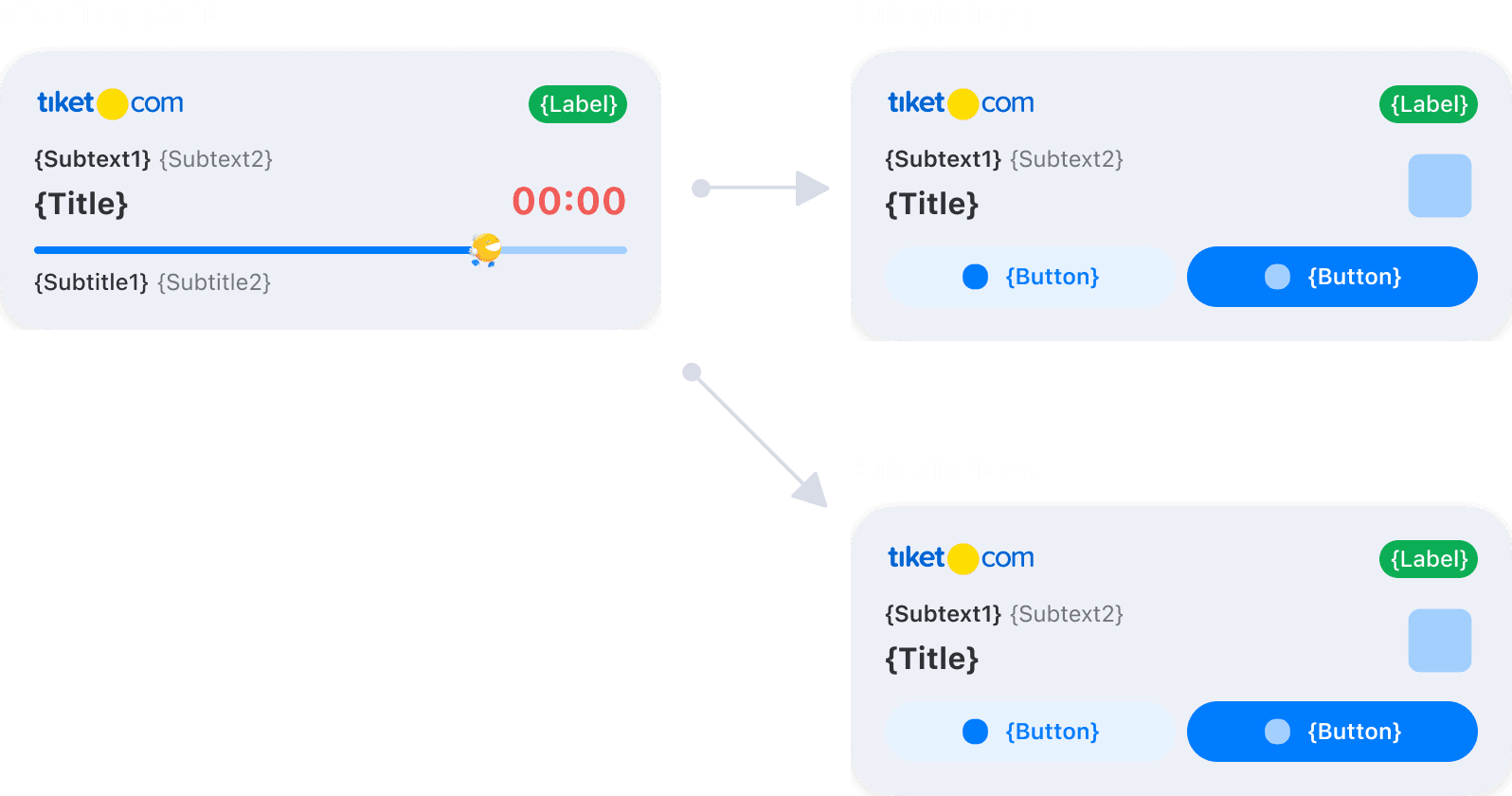
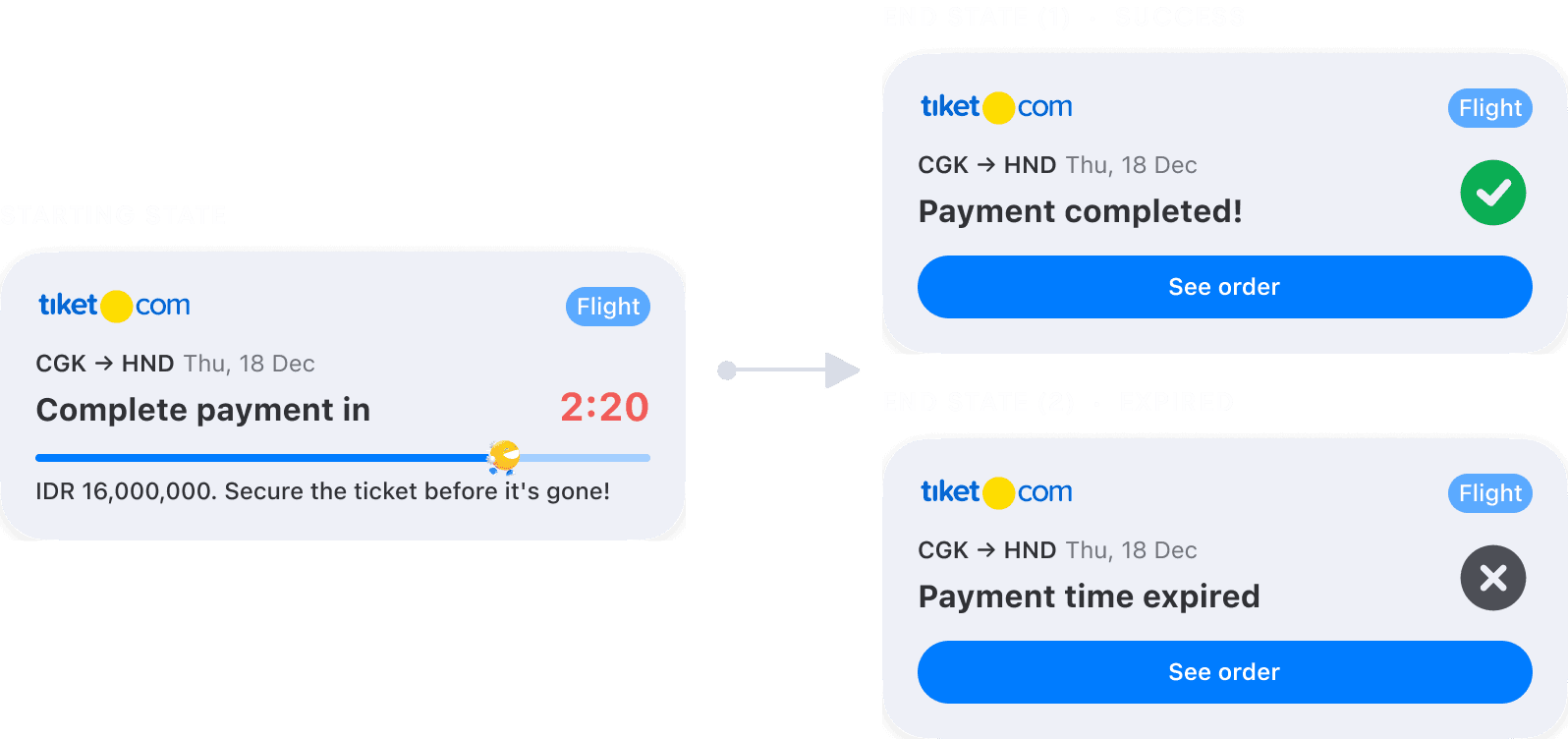
VARIANT A · Progress to Finish
This tracks something already underway until it finishes, like a payment window, giving users real-time updates.
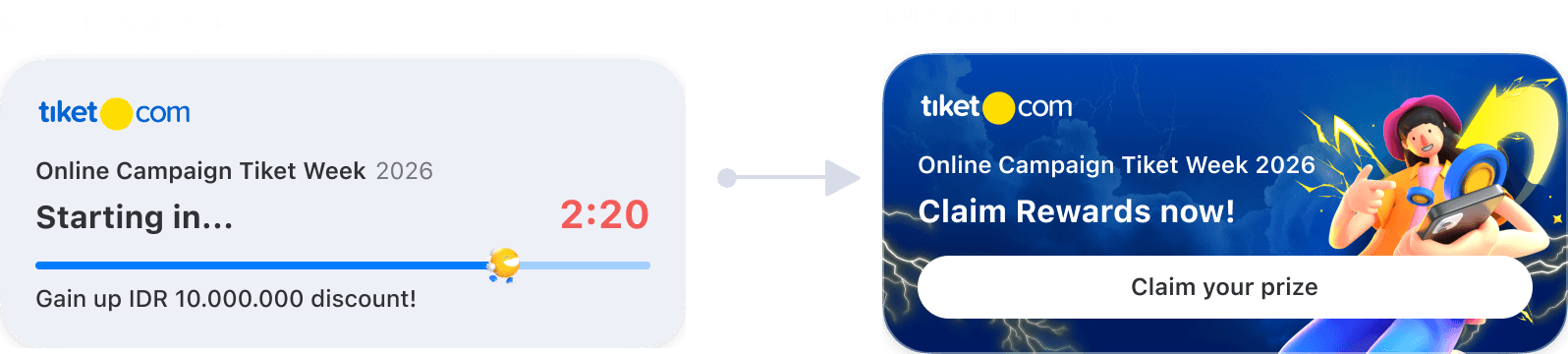
VARIANT B · Progress to Start
This builds anticipation for an event that hasn't started yet, such as a special campaign countdown.
Type 02
FYI for Transports
Designed for long events where users want quick updates without reading details.
WHEN TO USE
When status changes multiple times over hours and users check often.
STRUCTURE
Any number of middle states can appear between start and end. The trio's positions remain constant.

EXAMPLE · FLIGHT DAY
Flight status is shown in real-time using Live Activity, updating key details like gate changes and baggage drop information instantly.

Type 03
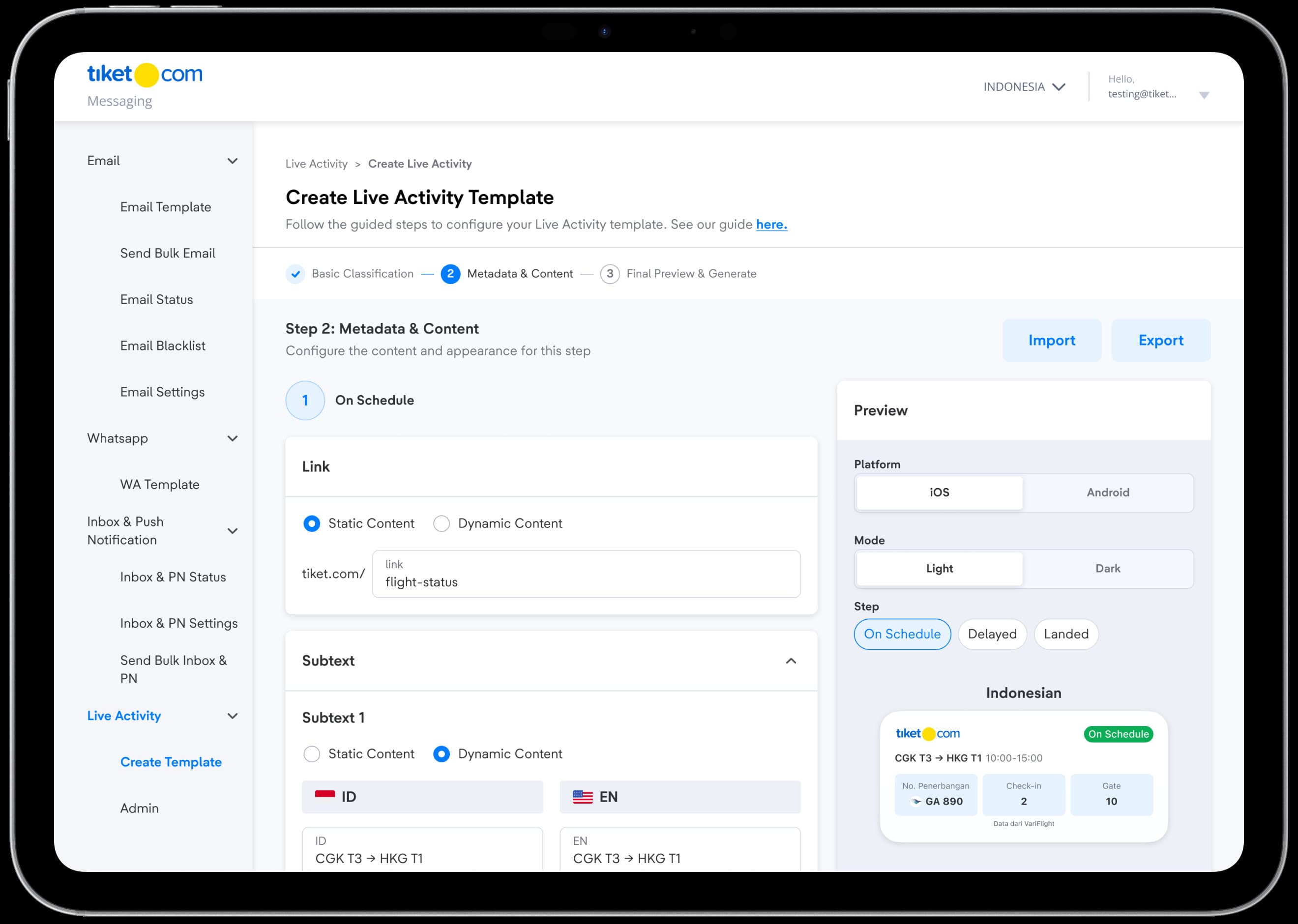
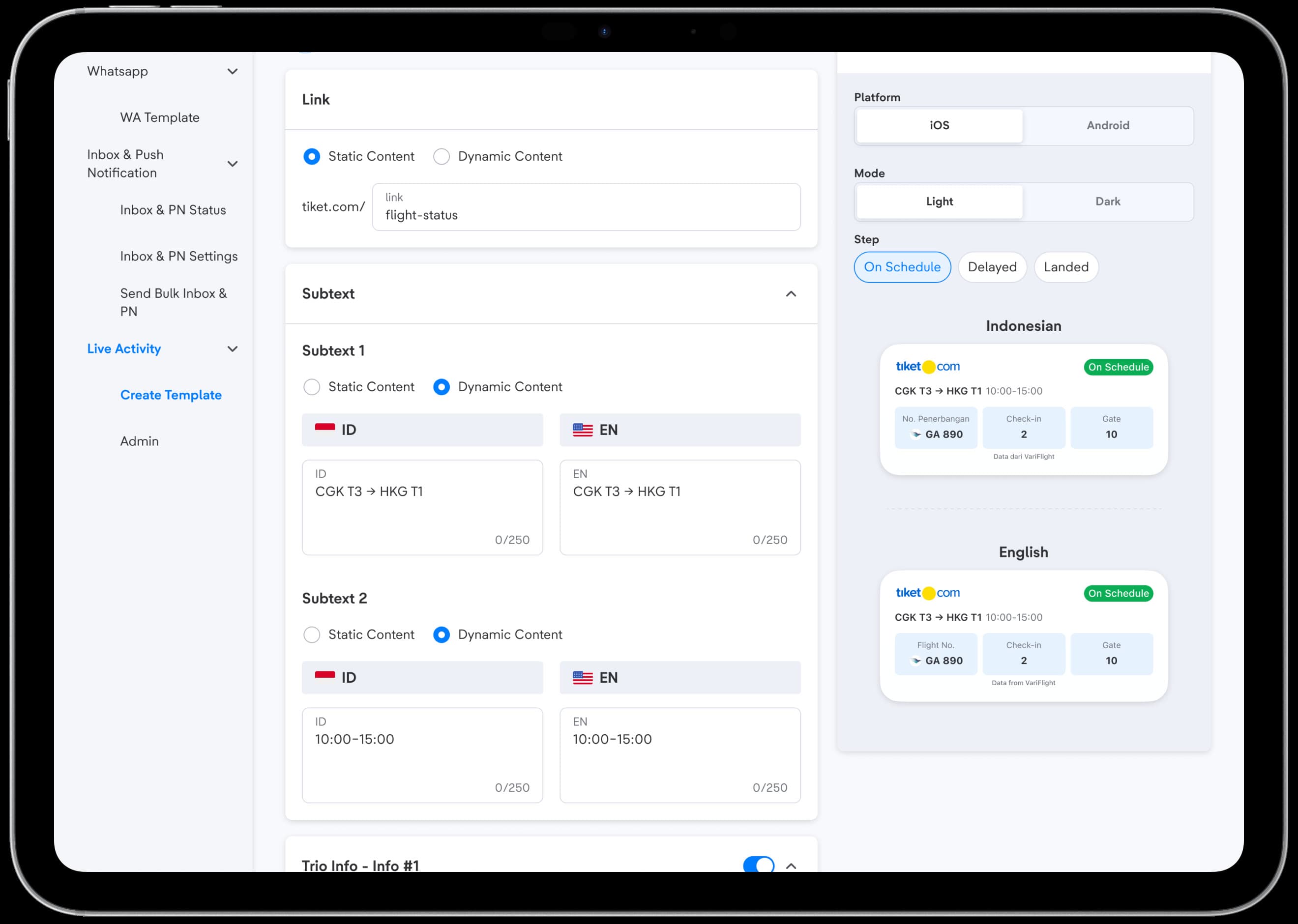
Self-Service Dashboard
Designed for product verticals to simulate the Live Activity they want to create.
Reflection
What I've Learnt & Special Thanks
During this project, I've had the opportunity to:
- Conducted a vertical discovery round across 25 teams and mapped every proposed use case
- Consolidated 40+ requested designs into a three-type template system
- All of this is very possible with the help of my senior designer & researcher (Zidny & Lia)
After the standardization, we conducted the following
- Designed the guided creation flow and its approval states
- Presented the standardization to stakeholders across Product, Tech Platform, and the verticals
Shoutout to main collaborators
Huge shoutout to everyone I collaborated with during this project
- Product Design team - Yossie Gunawan, Irfan Zidny & Nuriyah Amalia
- Product team - Yocky, Rian Bastian
- Tech Platform Team
Next project
Improving Train’s Booking Form Experience ↗