
tiket.com / Bus & Shuttle
Improving Search Result Experience
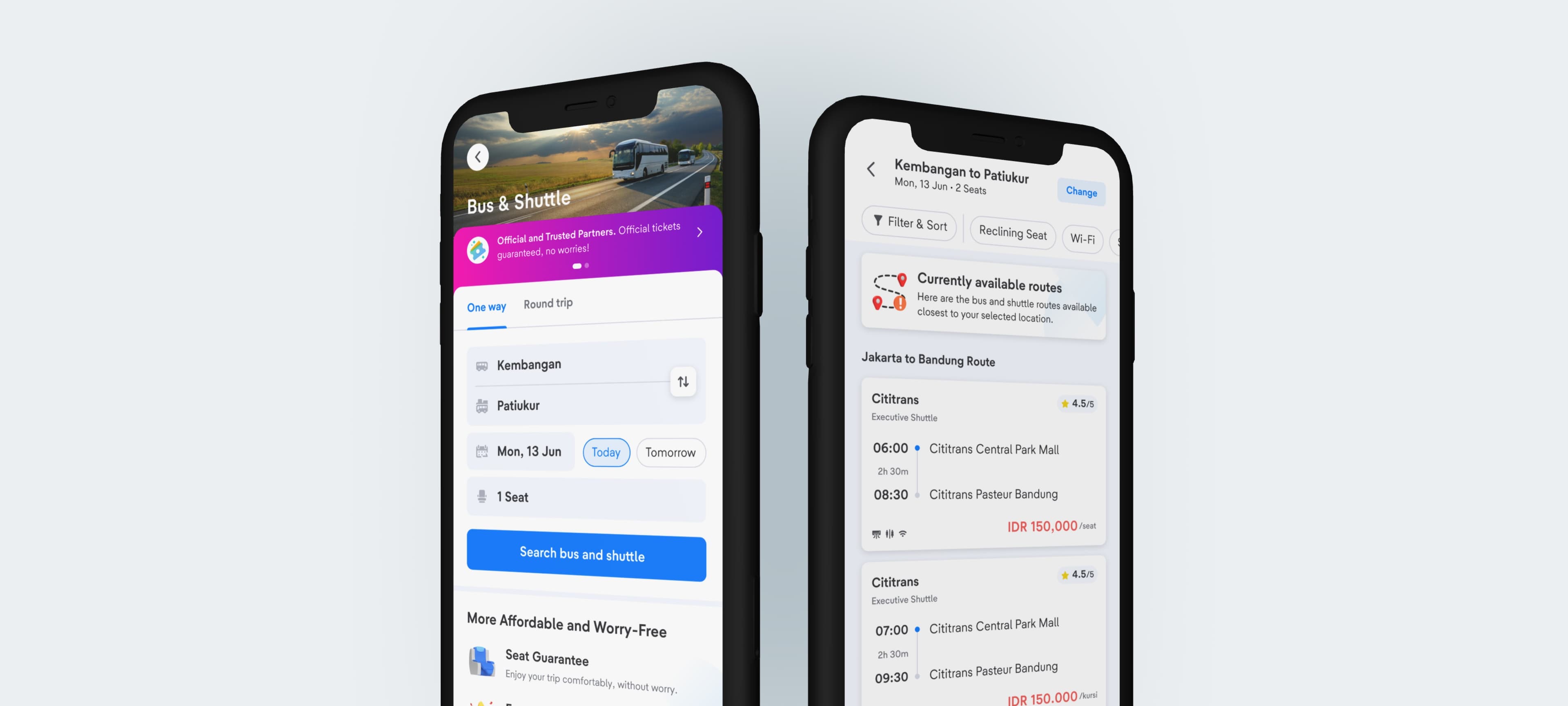
This project will demonstrate my expertise in these three crucial domains:
- Product Thinking
- Product Design
- Human-Centricity
- Project
- Post-Release Improvement
- Duration
- Sept 2023 (1 month)
In A Nutshell
Small Improvements, Large Impact
Due to multiple user Error Search Results, my team and I conducted the following to improve our design & user experience:
- User Behaviour Analysis through Amplitude
- Usability Testing on Bus & Shuttle Users
- Impact x Implementation Matrix
- How Might We Framework
These efforts resulted in a:
- +4.2% increase in Search to Book CVR.
- +7.4% increase in No Route to Choose Product Click-Through Rate (CTR).
- +12.4% increase in No Route to Book Product Conversion Rate (CVR).
Here's how the story goes ▼
Background & Context
Low Conversion Rate
tiket.com is a South-east Asia's Travel unicorn, serving 52+ millions active users with various travel solutions like Flights, Hotels and Trains.
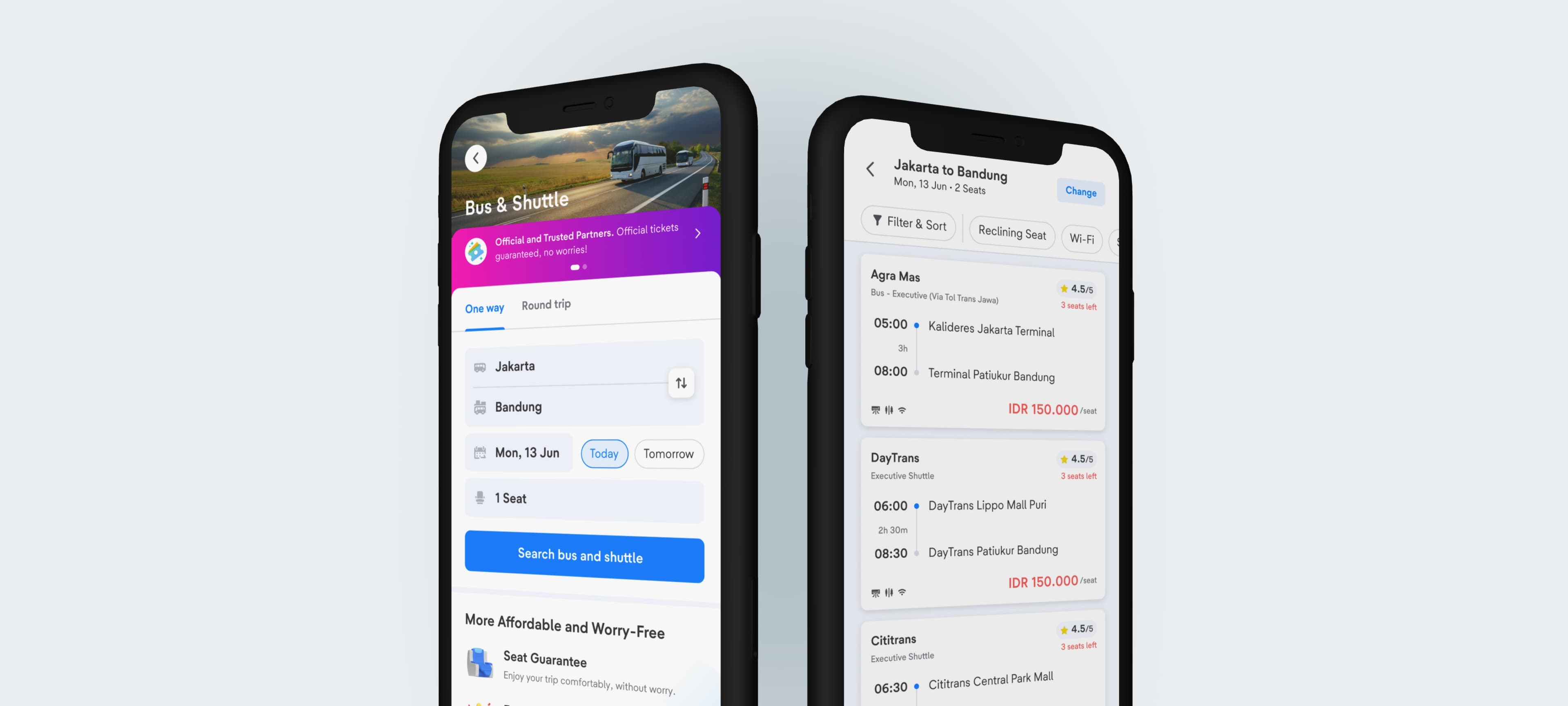
Following the release of our Bus & Shuttle product in early 2023, we identified a low conversion rate of 6.44%, prompting our team to investigate contributing factors and develop effective solutions.
![Bus & Shuttle Flow [Early 2023]](/_next/image?url=%2Fimages%2Fwork%2Fbus-search-11.png&w=3840&q=75&dpl=dpl_588YqEJyE5Kv7H19KarJJXLBd4iM)
Research
Multiple Problems, Minimal Effort
To address our low conversion rate, we conducted a comprehensive analysis using two research methods which lead us to finding multiple potential issues.
- User Behavior Analysis via Amplitude's real-time data analytics
- Live Usability Testing to identify user pain points.
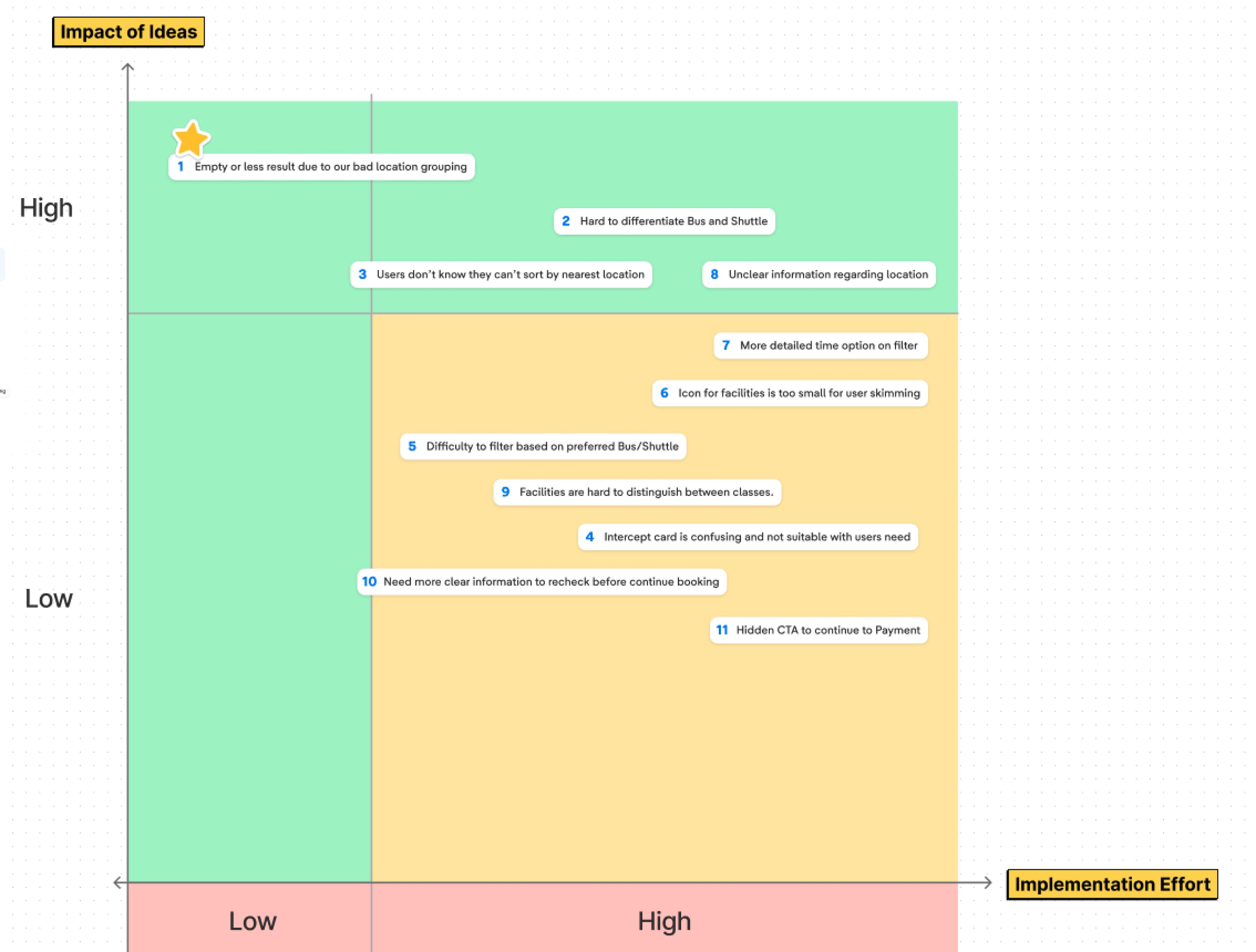
By employing an Impact x Implementation Matrix (with Product Managers, the Business Team, and the Tech team), we prioritized the issues worth solving and concluded that the most critical and feasible issue identified was the frequent occurrence of "No result Error" on our Search Result Page.
The Root Problem
Inaccurate Location Data
Our Bus & Shuttle users often encounter a "No result Error" due to inaccurate location data from third-party aggregators.
The Cause
Vendors can define their own departure and arrival locations, causing multiple entries for the same place.
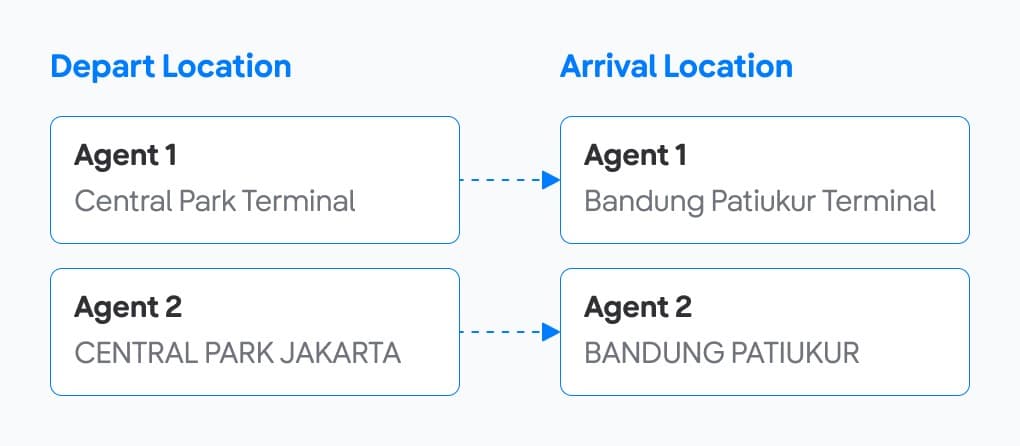
The Effect
This inconsistency results in users finding no search results when looking for locations from different vendors.
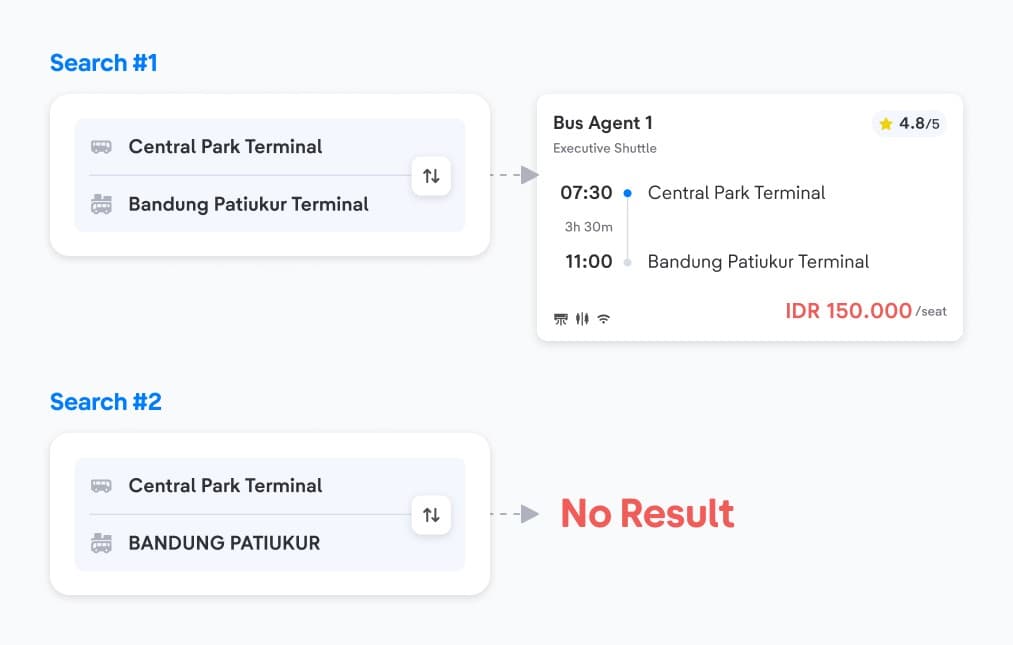
No Results Error
Deep-diving into the Errors
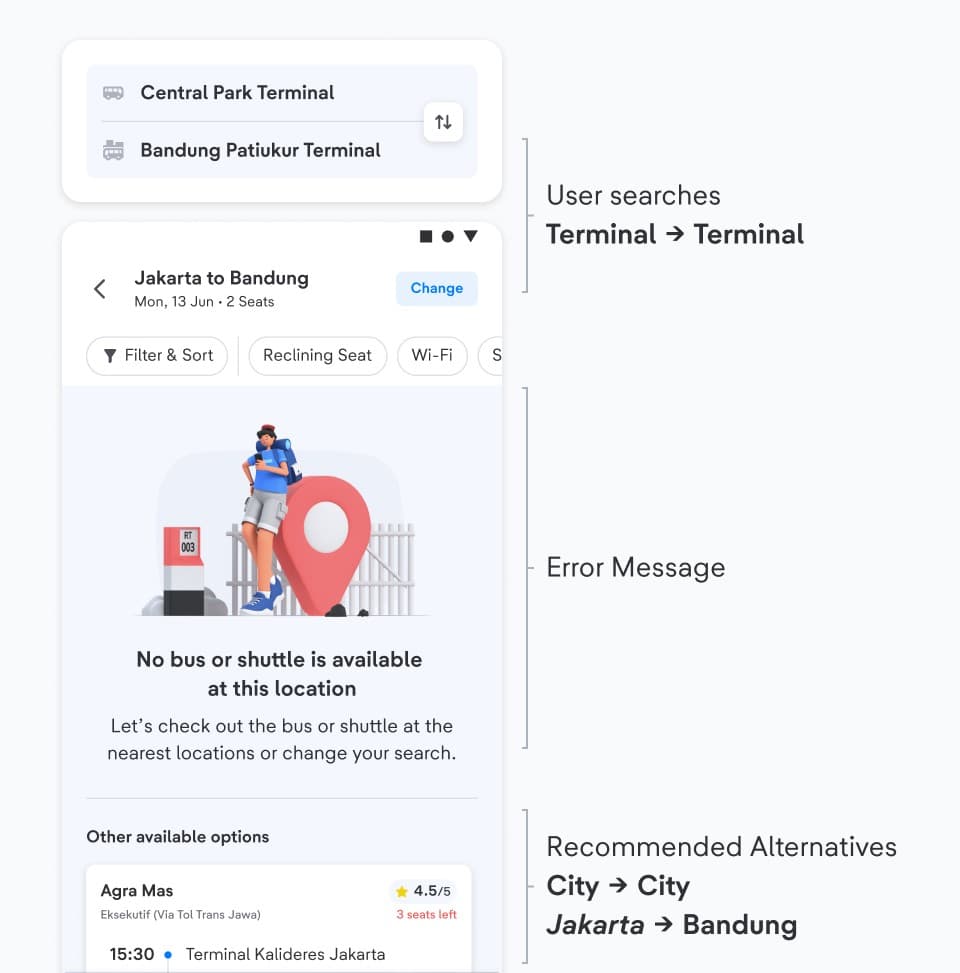
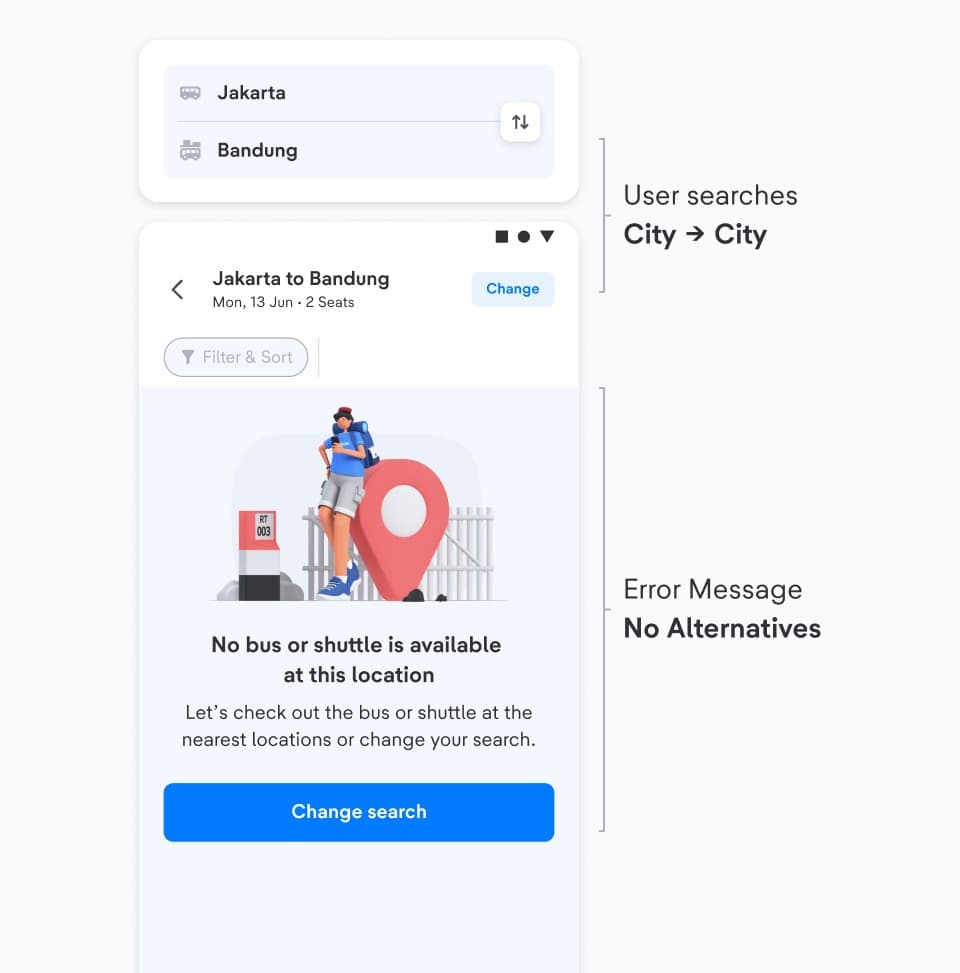
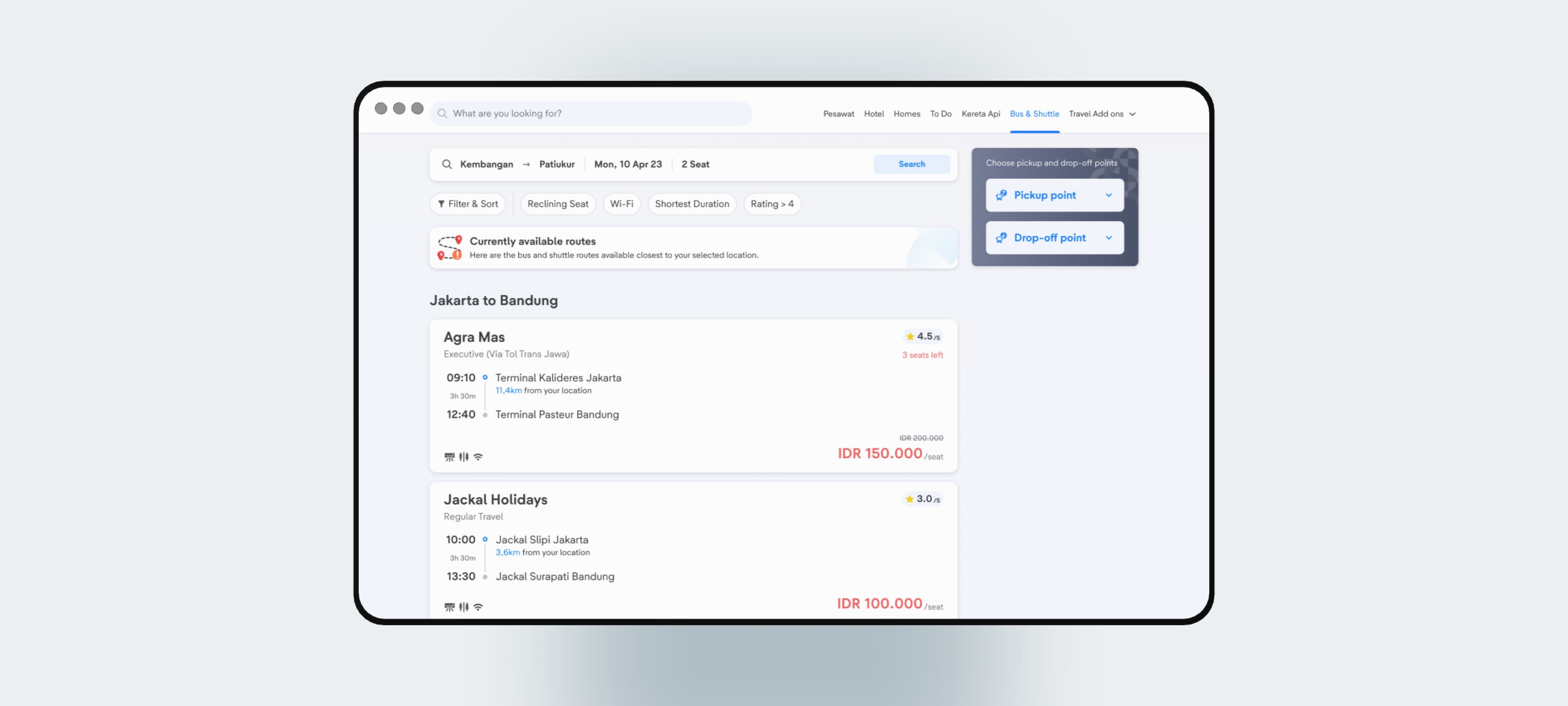
Users will receive two different types of errors depending on what they search:
Error with Alternative Routes
Error without Alternative Routes
Design Evaluation
Issues & How Might We
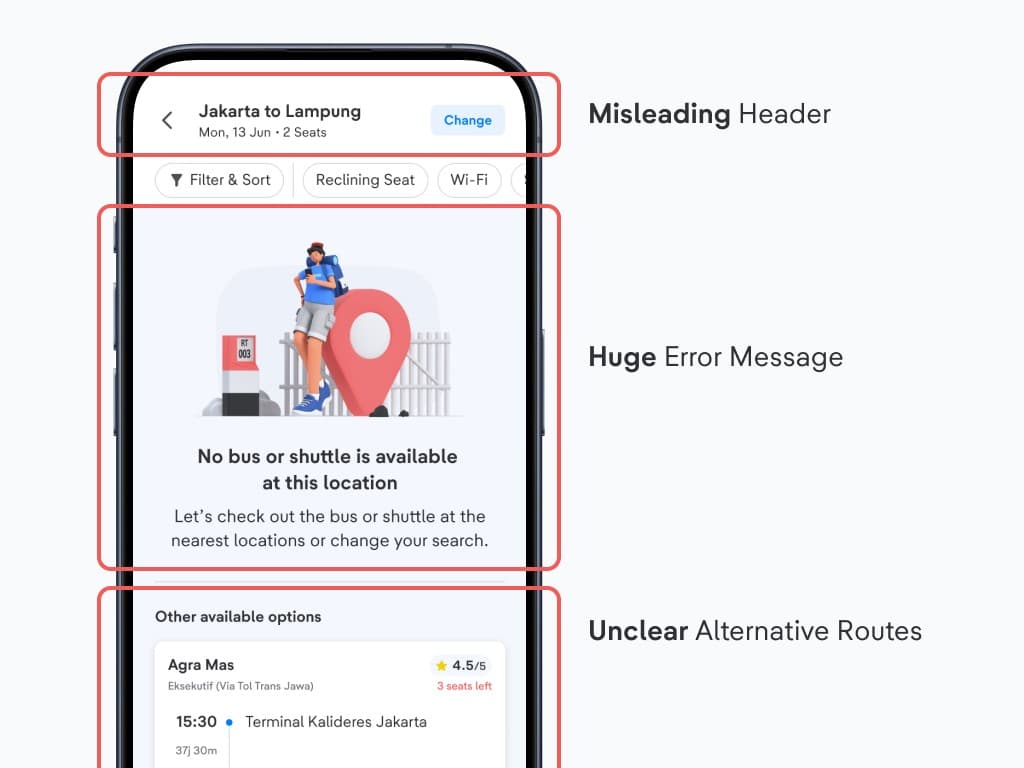
🚧 Misleading Header
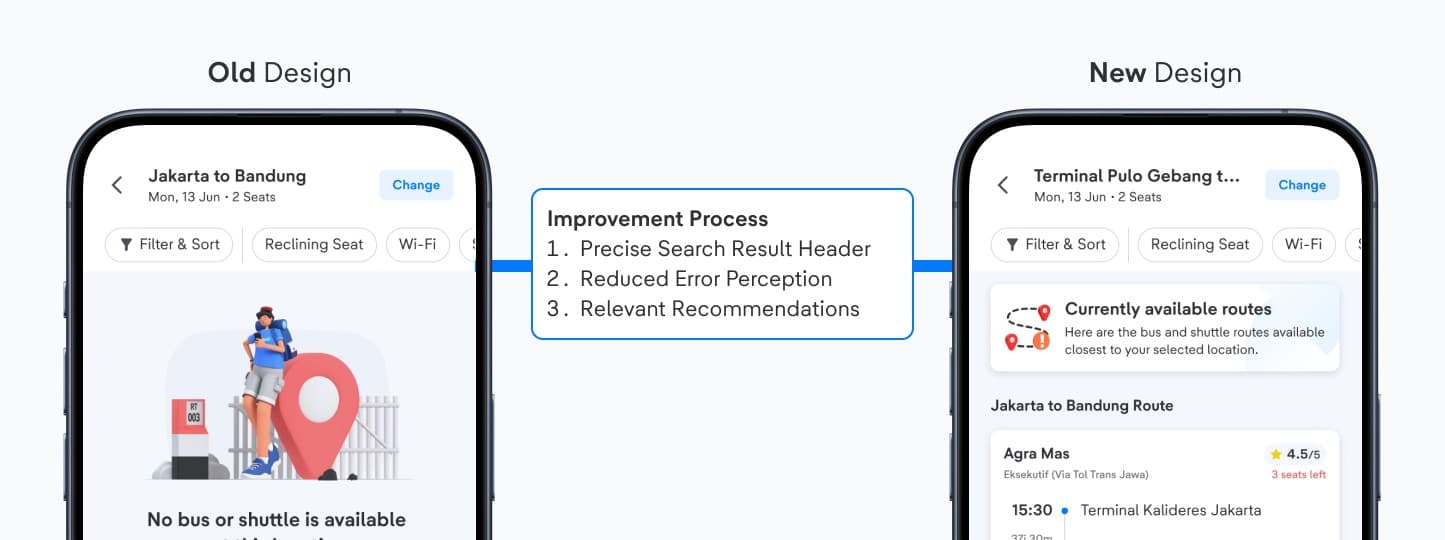
When users search for a specific terminal, the header only displays City to City.
❓ How Might We
Present accurate information to avoid misleading users.
🚧 Huge Error Message
The large error message overwhelms users and obscures alternative routes.
❓ How Might We
Reduce the error message's prominence to avoid misperception of search results.
🚧 Unclear Alternative Routes
There's no information displaying what the recommended routes are based off.
❓ How Might We
Display relevant alternative routes clearly and seamlessly.
Design Solutions
Small Improvement, Large Impacts
We improved 3 main aspects of our Bus & Shuttle Search Error Result Experience.
Header: Precise Search Results
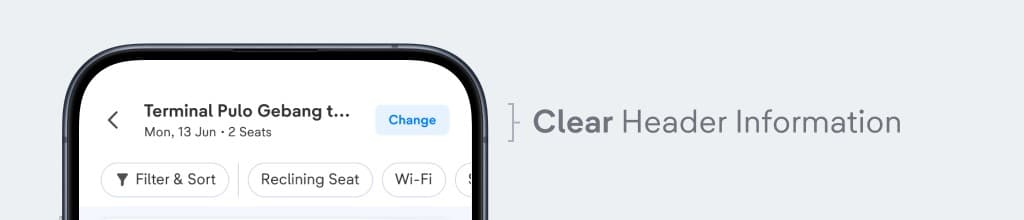
Instead of a generalized "City to City" header, we now display the exact search terms entered by users to avoid confusion and misinformation.
Error Message: Reduced Error Perception
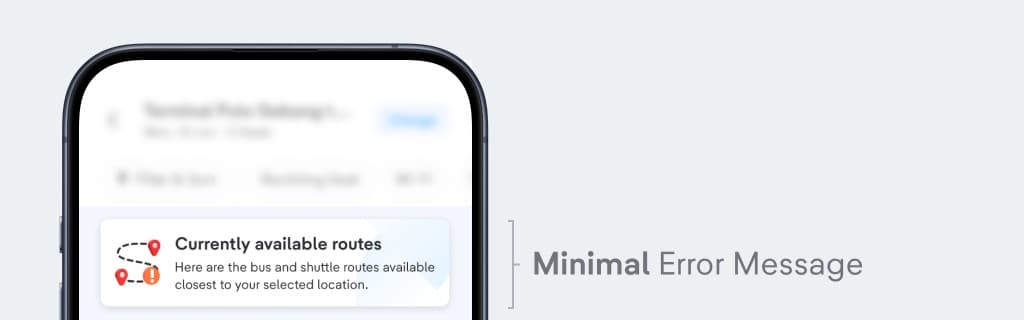
We redesigned the error message to occupy less space and appear less like an error state, reassuring users that their search results are not incorrect.
Alternative Routes: Seamless Recommendations
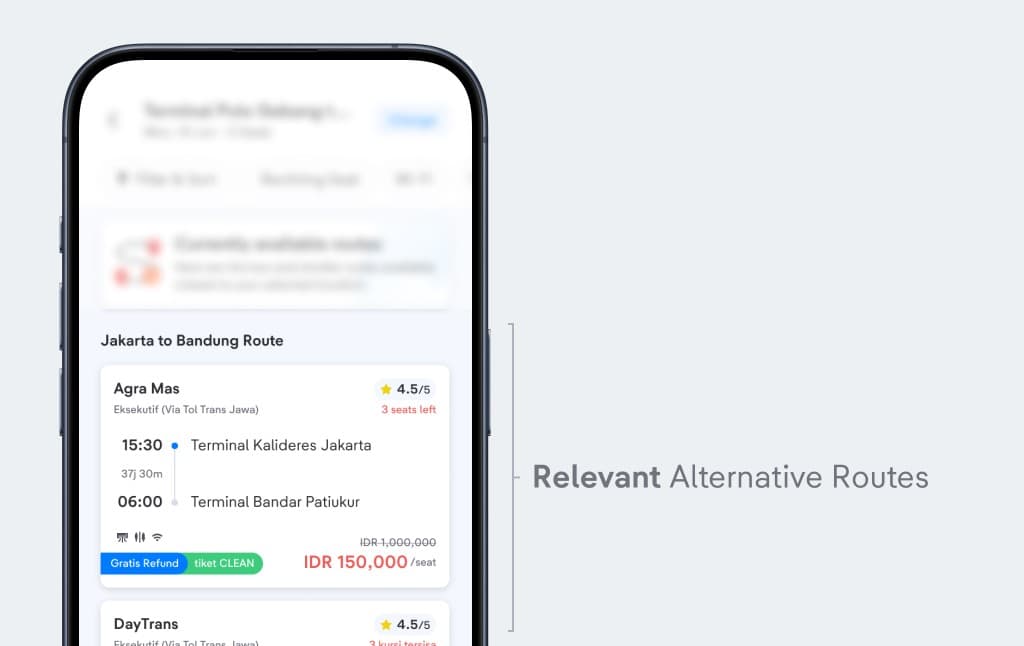
By clearly indicating the recommended routes (e.g., City to City), users can easily understand which Bus & Shuttle terminals are being suggested.
Before, After & Imapct
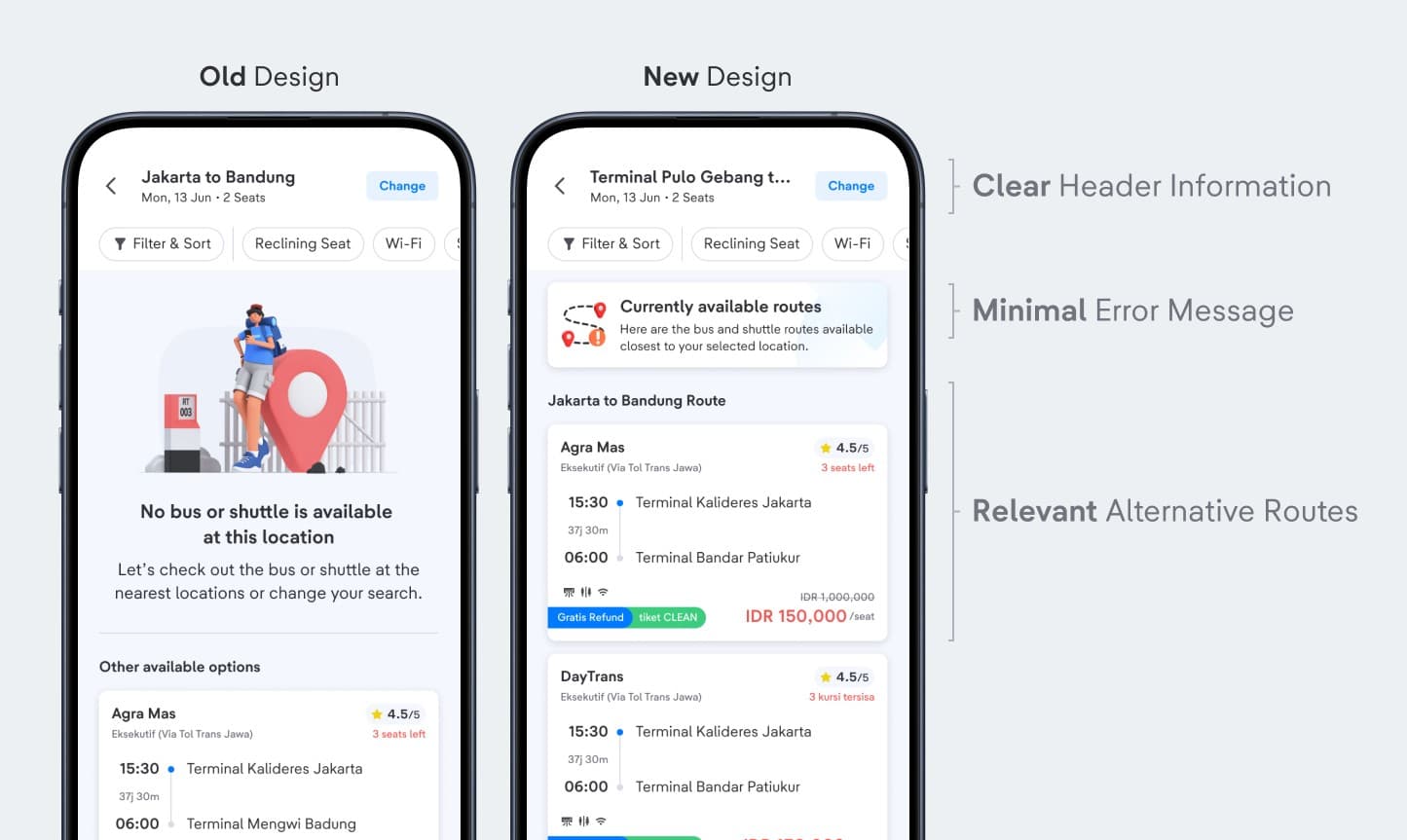
To validate whether my designs worked, we conducted an A/B Experiment to test both designs. The new designs resulted in the following results:
+4.2%
Increased CVR from Search to book
+7%
Increased CTR from No Route Error to Product Detail
+12%
Increased CVR from No Route Error to Purchase
Reflection
What I've Learnt & Special Thanks
During this project, I've got the opportunity to:
- Learnt more about User Behaviour Analysis (Amplitude)
- Leading Workshops & Using "Impact-to-Implementation" Matrix
- Working with Business Intelligence Team
- Conducted A/B Experiment and having the new designs win
However, although this project is deemed successful, the best solution would be to improve our location datas.
Shoutout to all collaborators
Huge shoutout to everyone I collaborated with during this project
- Product Design team - Ule, Nindya, Yossie, Ryan S
- Product team - Agung, Alwan, Hanifa
- Business Intelligence team
- Tech team
- and many more others.
Next project
Improving Train’s Booking Form Experience ↗