
Edward’s Guidebook
Claude Code & Mobbin Setup
Created by @ux.edward·instagram.com/ux.edward
Install Mobbin MCP into Claude Code and Claude Desktop
Useful Links
Claude Code Documentation
https://code.claude.com/docs/en/overviewClaude Desktop
https://claude.ai/downloadVideo Tutorial
https://www.instagram.com/reel/DbnuUhIpbrD/?utm_source=ig_web_copy_link
Step by Step Setup
Step 1
Get Claude, Figma & Mobbin Paid Plans
Make sure you have Pro plans for Claude, Figma & Mobbin.
 Claude Pro or Max
 Figma Professional Plan (or higher)
 Mobbin Pro Plan
Get 20% off: mobbin.com/edward
Step 2
Install Mobbin via Claude Code Terminal
Run this command in Claude Code Terminal:
claude mcp add mobbin --scope user --transport http https://api.mobbin.com/mcp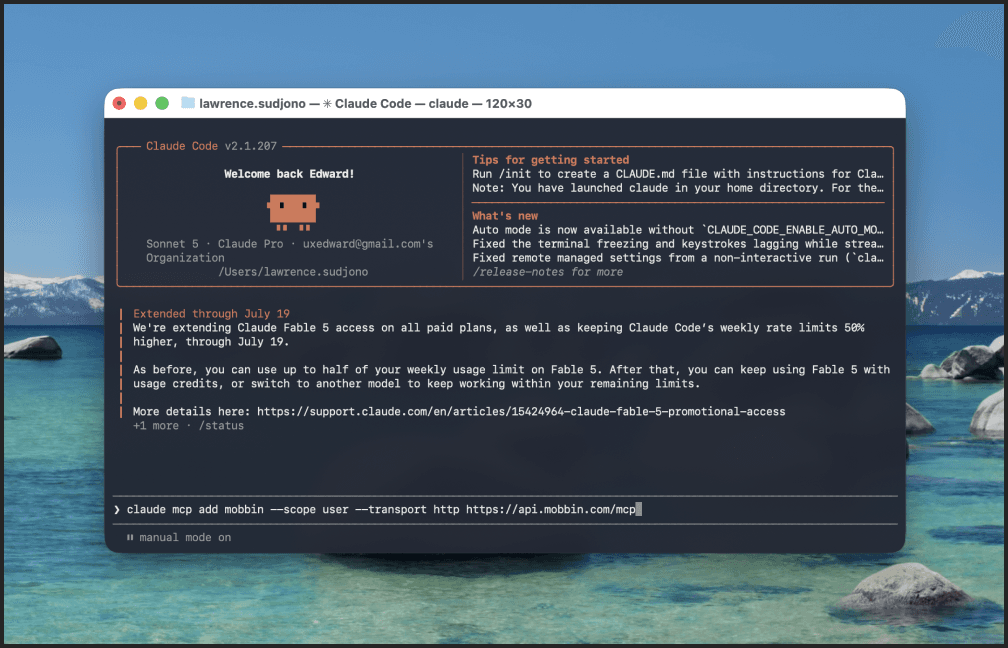
Step 3
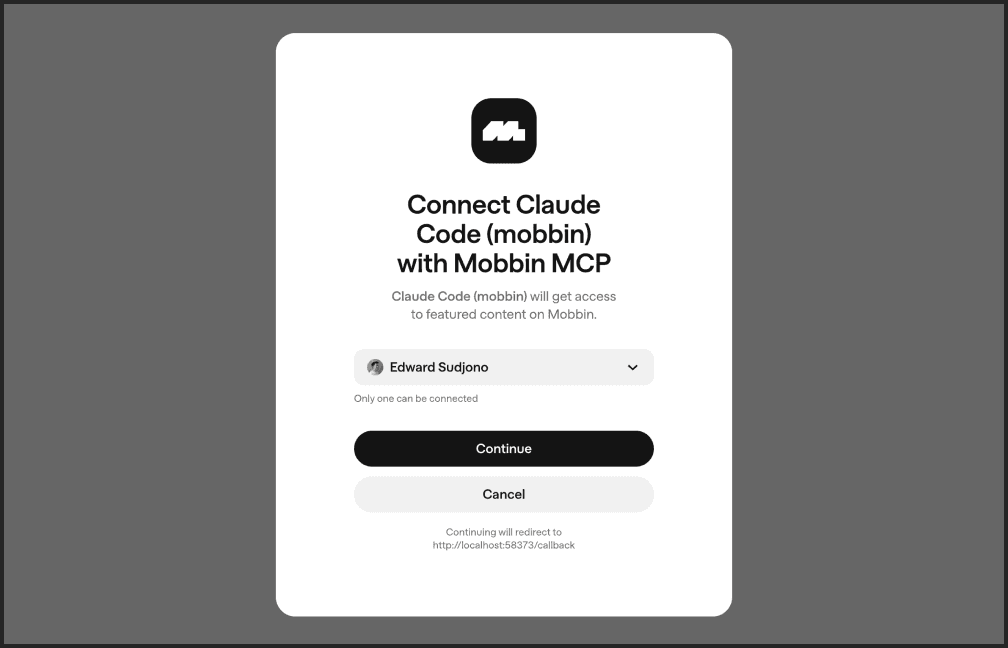
Authenticate Access
Authenticate & Sign in with your Mobbin account to authorize access.
Step 4
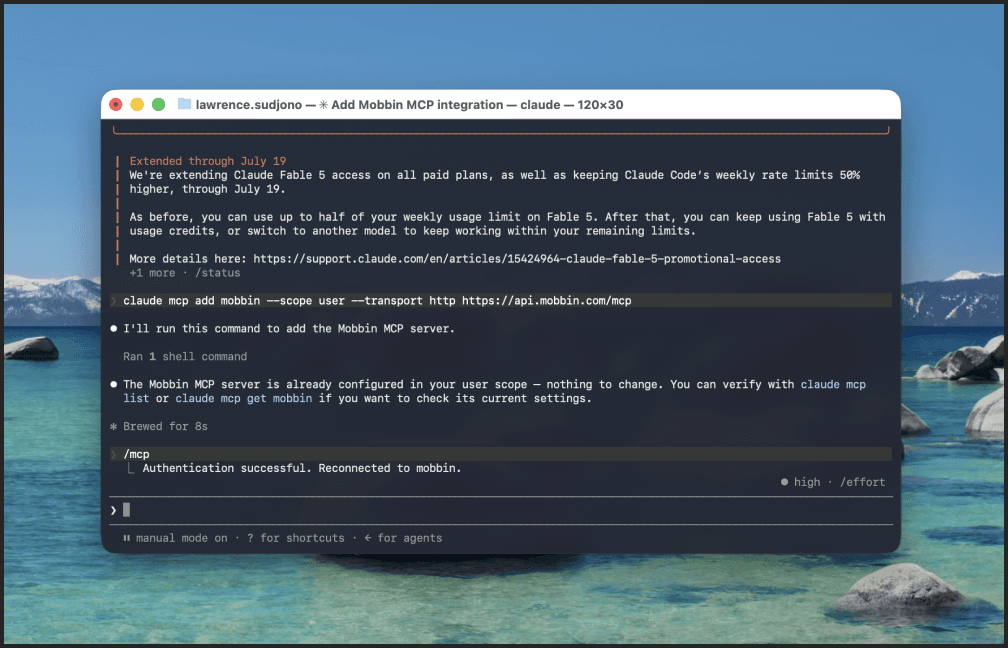
Confirm Authentication
Successfully authenticate Mobbin & Claude Code!
Step 5
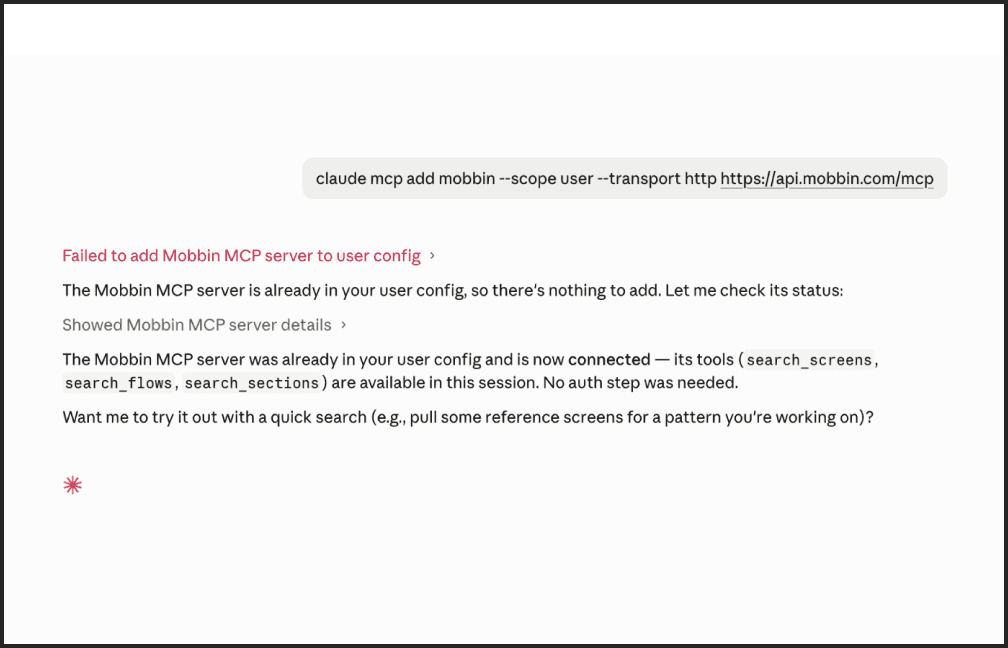
Install Mobbin MCP in Claude Desktop
Download Claude Desktop. Run this command in Claude Desktop:
claude mcp add mobbin --scope user --transport http https://api.mobbin.com/mcp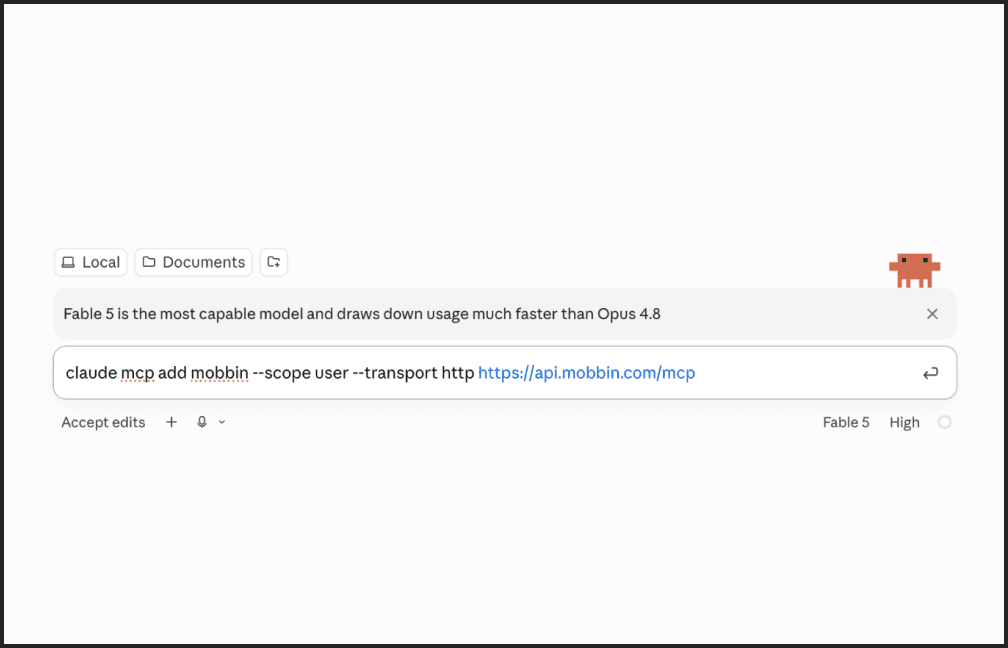
Step 6
Confirm Desktop Install
You can see it says it has been installed because we’ve installed it in our terminal.
Created by @ux.edward